Getting started
Signing in
- Open the Skeye Predict URL your administrator gave you.
- Enter your username and password, then click Sign in.
- Tick Remember me to have your username pre-filled next time.
- After signing in:
- Regular users land on the Projects page.
- Administrators land on the User Management page.
Contact your administrator — they can reset your password or re-create your account.
Finding your way around
The left sidebar is your main menu. Depending on the access your administrator granted you, you may see:
| Menu item | What it's for |
|---|---|
| Projects | Your datasets — the starting point for everything |
| Run Prediction | Train and run a model on a project (opened from a project) |
| Model Test | Test a trained model with new inputs, single or batch |
| EEDA | Explore how the model performs across attribute combinations |
| Knowledge Base | The shared library of rules and insights |
| Runs History | A log of your past prediction runs |
| My Profile | Your account details and password |
If you don't see EEDA, Knowledge Base, or Model Test, your account may not have access to that feature yet. Ask an administrator to enable it — see Administration.
Your account menu, at the bottom of the sidebar, holds My Profile and Sign out.
Projects — your starting point
Everything in Skeye Predict revolves around a project: a dataset you want to analyse.
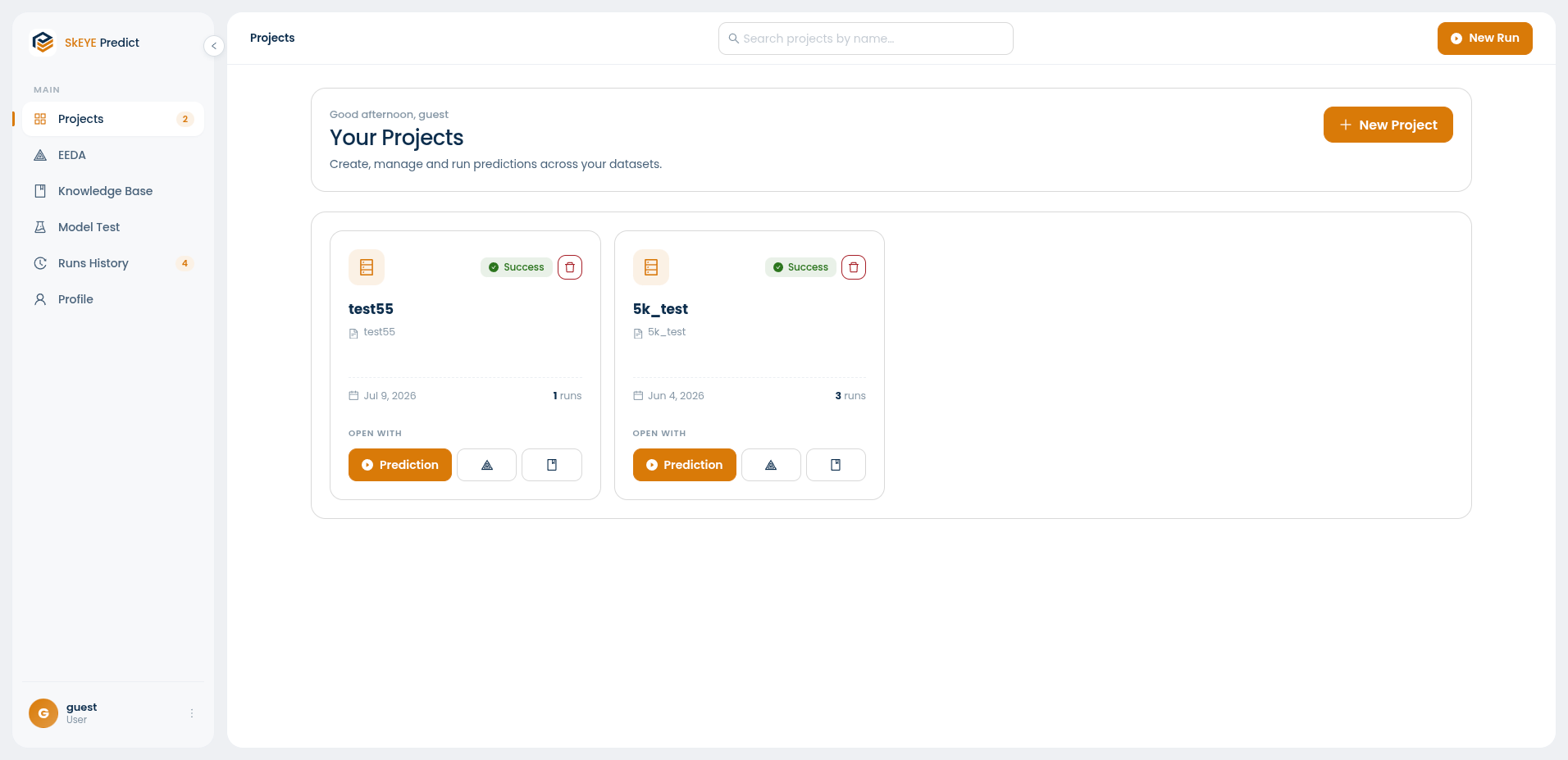
Each project card shows its status, when it was created, and how many runs it has. From a card you can open the project with Prediction, EEDA, or Knowledge Base, or delete it.
Create a project
- Go to Projects and click New project.
- Give the project a name.
- Choose a data source:
- Local upload — drag and drop a file from your computer. Pick the file type (DAT or JSON) first, then upload. The maximum file size is 128 MB; larger files are rejected with a warning.
- Skeye Ingest — pick a folder that has already been ingested into Skeye. Use Refresh if your folder isn't listed yet.
- Click Create project.
Your new project appears as a card on the Projects page, ready to run a prediction.