Querying your data
The Insight editor
Insight is a SQL editor for querying any model in the current project. Write a query, run it, and see the results — along with how it was answered:
- From an index — the query matched a built index and was answered from pre-computed data, typically in well under a second
- Pushed down — no index matched, so Skeyecube forwarded the query to the underlying data source engine and returned a correct (if slower) result. A recurring pushed-down query is exactly the kind of pattern the recommendation engine will pick up on and propose an index for.
SELECT region, SUM(amount) AS total
FROM sales
GROUP BY region
ORDER BY total DESC
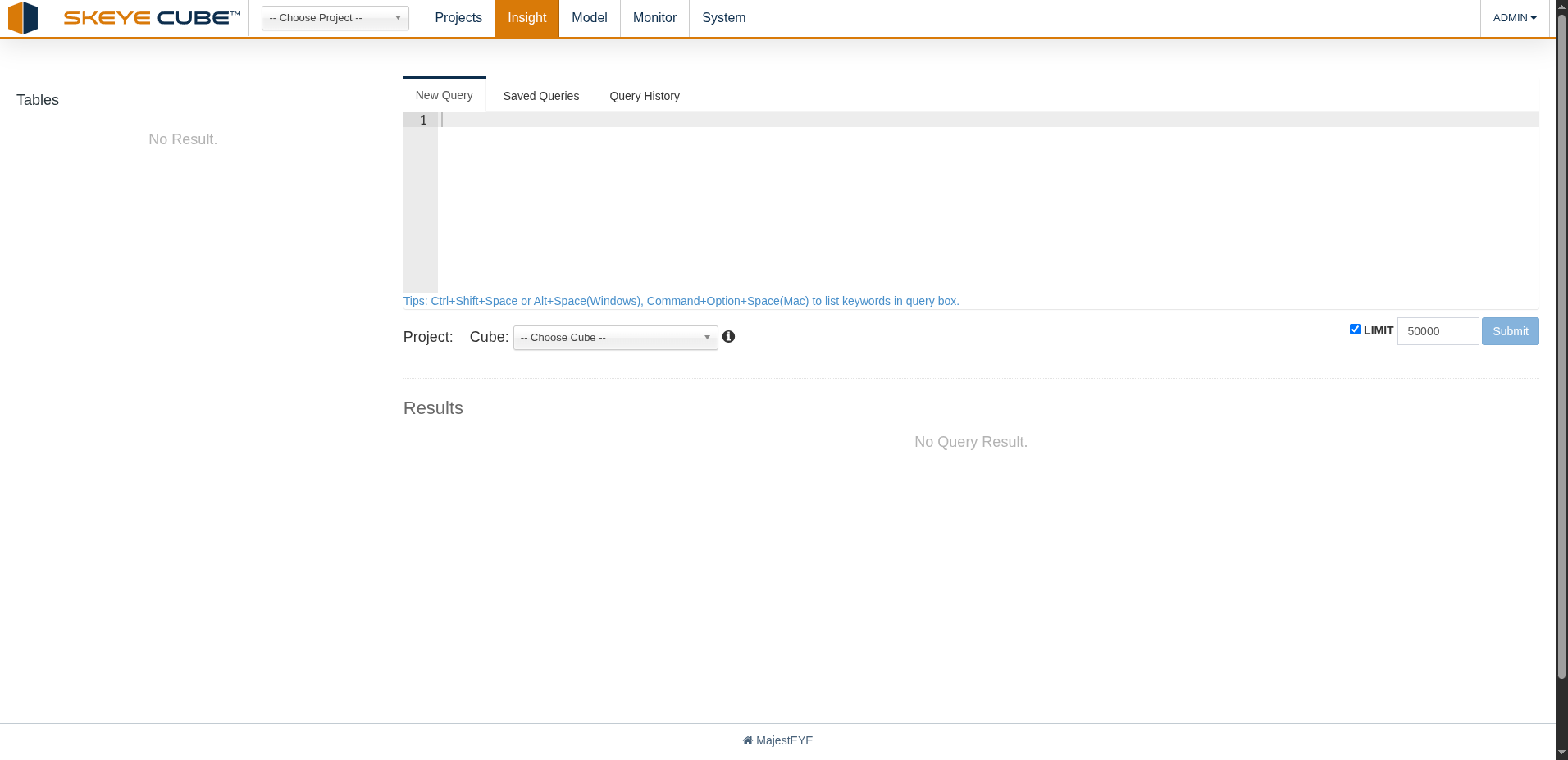
The Tables panel on the left lists what you can query. Below the editor, pick the cube to run
against and set a row limit before submitting — results appear underneath. Press
Ctrl+Shift+Space (or Cmd+Option+Space on a Mac) to list available keywords while you type.
Saved queries and query history
The editor has three tabs:
- New Query — write and run a query
- Saved Queries — queries you've kept for reuse
- Query History — every query that's been run against the project, with its SQL, duration, and status, and whether it was answered from an index or pushed down
Use the history to revisit or re-run a past query, or to spot slow, frequently repeated ones worth accelerating with a new index.
Connecting a BI tool
Skeyecube exposes a JDBC/ODBC driver, so BI tools (Tableau, Power BI, and similar) can connect straight to a project and query its models with the same sub-second, index-backed performance as the Insight editor. Ask your administrator for the connection details for your Skeyecube instance.