Sharing & permissions
Accounts and roles
Skeyenote accounts are provisioned by an administrator — there is no self-service sign-up. Each account has a username and password, and is assigned one or more roles. Roles are what admins use to grant access to admin-only areas (such as interpreter or credential settings) and, together with per-notebook permissions below, to control who can see and edit which notebooks.
Per-notebook permissions
Every notebook has its own permission list, split into four levels:
| Level | Can do |
|---|---|
| Owners | Everything below, plus manage the notebook's permissions and delete it |
| Writers | Edit paragraphs (code and text) and run them |
| Runners | Run existing paragraphs, but not edit their content |
| Readers | View the notebook and its results, read-only |
You can grant each level to individual users or to whole roles, so for example a team's role can be made a Writer on a shared notebook in one step.
To change who has access to a notebook, open its permissions panel from the notebook toolbar and add users or roles to the level you want to grant them.
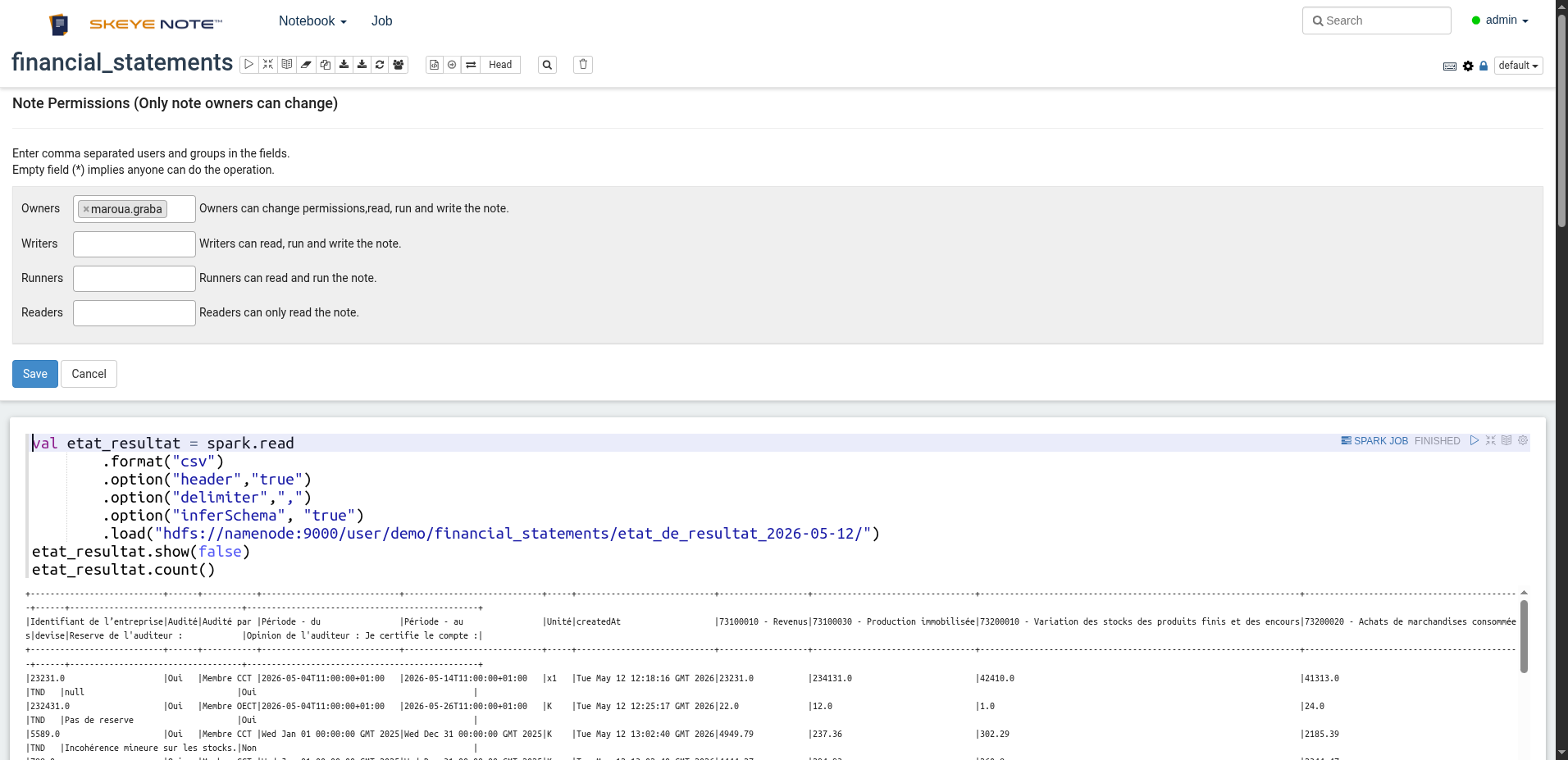
Enter comma-separated users and groups in each field. Only note owners can change permissions,
and leaving a field empty (*) means anyone can perform that operation — so if you want a notebook
restricted, fill the levels in explicitly rather than leaving them blank.
Monitoring running jobs
The Job manager lists every paragraph currently running or queued across all notebooks you have access to, along with its status and elapsed time. It's especially useful for long-running paragraphs (for example a Spark job) — from there you can jump straight to the paragraph or stop it.