Instances & monitoring
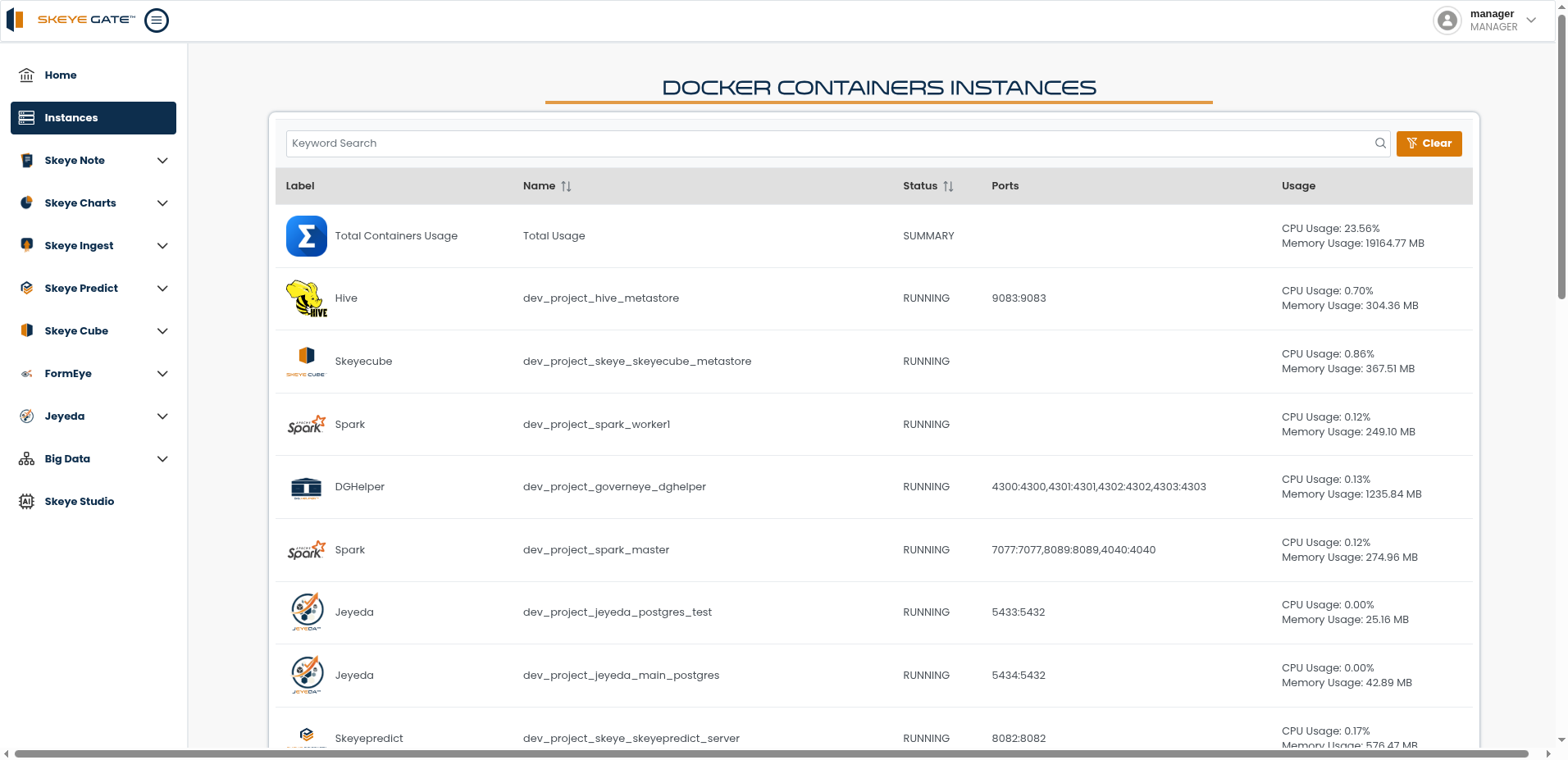
The Instances screen is your control center for the services running behind the platform. It lists the container instances that power each module, together with their live resource usage.
What the table shows
| Column | Description |
|---|---|
| Label | The module or service the container belongs to |
| Name | The container's name in your environment |
| Status | Whether the container is running |
| Ports | The port mappings exposed by the container |
| Usage | Live CPU and memory consumption |
A Total Containers Usage summary row sits at the top, giving you overall CPU and memory consumption across the whole platform at a glance.
Finding a service
Use the keyword search to filter the list down to a specific module or container, and Clear to reset it. The Name and Status columns can be sorted, which makes it easy to spot anything that isn't running as expected.
Together with the module status bars on the home screen, this gives you a complete picture of platform health — from a module being up, down to the resources its containers consume.